Everyone’s building AI apps now. And every AI app needs a place to stash embeddings. The instant your data grows beyond “fits in memory”, you need a vector database. Or do you?
If you’re already running ClickHouse for analytics, here’s some good news: you might not need another database. ClickHouse can hold its own as a vector store. Not because it was built for it, but because it’s built to be fast at everything.
Let’s dig in.
What Even Is a Vector Database?
To understand what a vector database is, we need to start with what vectors are. In the context of machine learning and AI, a vector is a numerical representation of data - often used to represent text, images, audio, or even user behavior. These are not arbitrary numbers; they are structured in such a way that their relative distances capture some idea of similarity.
For instance, in the world of natural language processing (NLP), embeddings are generated from text using models like BERT or OpenAI’s Ada. These embeddings transform language into dense vectors of floating point numbers, often 384 or 768 dimensions long. Words or phrases with similar meanings will have embeddings that are closer together in vector space, while dissimilar ones will be far apart.
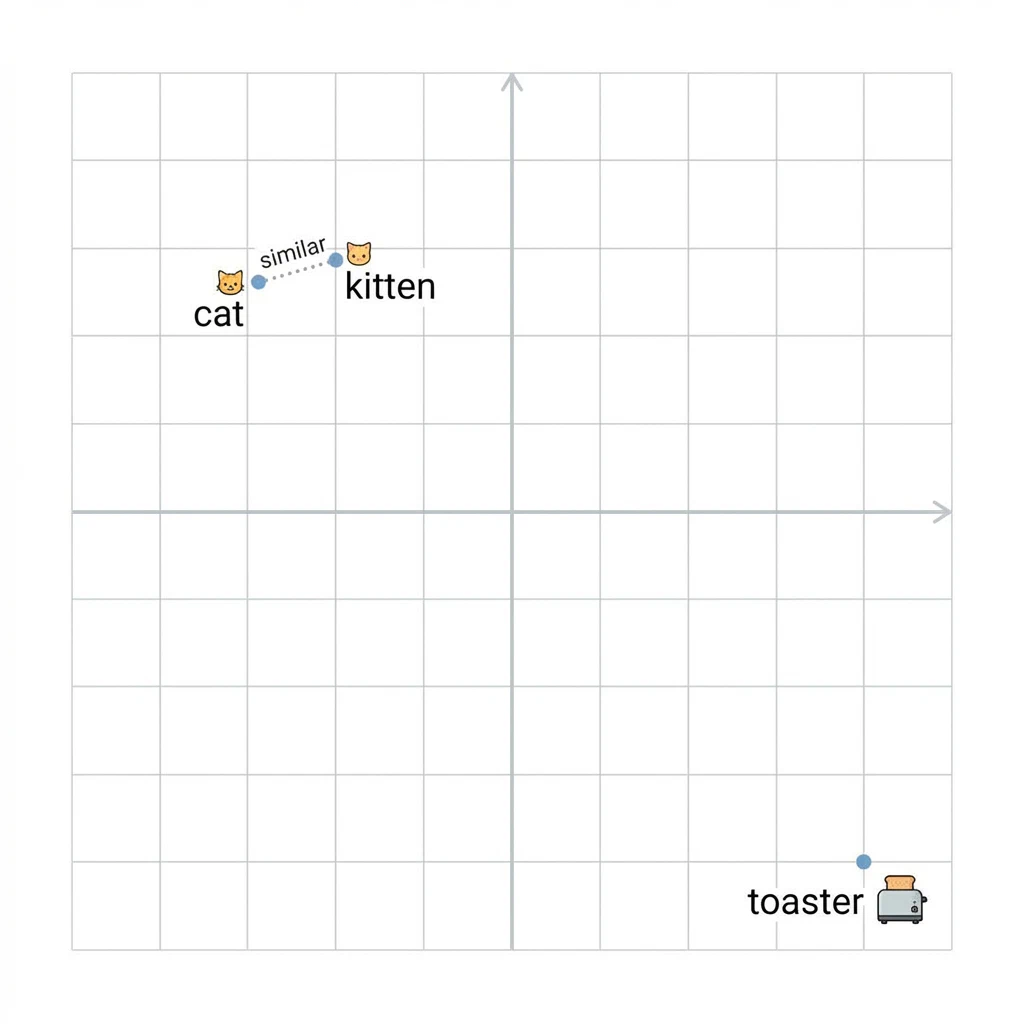
Here’s what that looks like in practice, if we plot words in a simplified 2D vector space, semantically similar words cluster together:
Vector space: cat and kitten are neighbors, toaster is not invited.
A vector database, then, is a database that is optimized to store these high-dimensional vectors and perform efficient similarity searches on them. The core operation is typically the k-nearest neighbors (KNN) search: given a query vector, return the most similar vectors (and hence documents, images, etc.) from the database.
Unlike traditional databases (e.g. MySQL) which rely on B-trees and hash indexes for exact matches or range queries, vector databases use specialized indexing structures like HNSW (Hierarchical Navigable Small World graphs), IVF (Inverted File Index - cool stuff), and PQ (Product Quantization). These indexes allow for approximate nearest neighbor (ANN) search, which trades a bit of accuracy for massive speed-ups in high-dimensional spaces.
Some popular purpose-built vector databases are Pinecone, Weaviate, Milvus, and Faiss (from Meta). However, the recent evolution in OLAP systems like ClickHouse has opened the door to hybrid approaches, combining their analytical power with vector search at big-scale.
Why ClickHouse?
ClickHouse isn’t a vector database per se. It’s a lightning-fast OLAP column-store database originally developed at Yandex for real-time analytics. It’s built for high-throughput aggregations over massive datasets, with features like compression, parallel processing, and late materialization.
So why use ClickHouse for vectors?
First, it supports arrays and fixed-size numeric types, including Array(Float32), which makes it possible to store embedding vectors natively.
Second, ClickHouse has recently introduced native support for vector indexes, including HNSW and flat indexes. This means you can create an ANN index directly on an embedding column and query it using standard SQL syntax. This native support makes it viable to unify analytical and semantic queries in a single system, no need to juggle a separate vector store and an analytics database.
Third, ClickHouse’s scalability and cost-efficiency make it attractive for production workloads. If you’re already using ClickHouse for logs, metrics, or analytics, extending it for semantic search can be both convenient and economical.
In short: fewer moving parts, same fast queries, one less thing to sync.
Example with ClickHouse
The foundation of most ClickHouse tables is the MergeTree engine. It provides partitioning, ordering, indexing, and background merges, ideal for write-heavy and analytical use cases.
To store embeddings, you create a table with a column of type Array(Float32). Here’s a simplified schema:
1CREATE TABLE content_transcript_segment (
2    segment_id String,
3    text String,
4    start_time Float64,
5    end_time Float64,
6    embeddings Array(Float32),
7    embedding_dimensions UInt64
8) ENGINE = MergeTree
9ORDER BY segment_id;
Starting from ClickHouse v24.6, you can add a vector index like this:
1ALTER TABLE content_transcript_segment
2ADD INDEX vec_idx embeddings TYPE HNSW('metric_type=cosine') GRANULARITY 1;
This creates a cosine similarity-based HNSW index over the embedding vectors. The GRANULARITY defines how frequently the index is updated in data parts, a tradeoff between index precision and performance.
After creating the index, you must materialize it to populate it:
1ALTER TABLE content_transcript_segment MATERIALIZE INDEX vec_idx;From there, queries are straightforward.
Semantic Search in SQL
Once your embeddings and index are in place, querying becomes remarkably ergonomic. Let’s say you have a query embedding from an external model, a 384-dimensional Array(Float32) value. You can use SQL to find the most similar segments:
1SELECT
2    segment_id,
3    text,
4    cosineDistance(embeddings, [your_query_vector]) AS score
5FROM content_transcript_segment
6ORDER BY score ASC
7LIMIT 5;
You can even wrap this in a view or a UDF to expose semantic search as a high-level API.
This simplicity is what makes ClickHouse compelling. You stay in SQL. You use familiar tooling. You don’t need to manage and sync a separate vector database. It’s just another analytical query, but instead of filtering on keywords, you’re querying on meaning.
Pain Points and Learnings
Nothing’s free. Here’s what to watch out for:
Indexing Costs: HNSW indexes aren’t free. Adding or materializing the index can be resource-intensive. Batch writes are better than high-frequency single inserts.
Embedding Compatibility: Your application must ensure all embeddings are of the same dimensionality, dtype (
Float32), and normalization (e.g., unit length for cosine distance).Debugging Vectors: It’s easy to make mistakes in preprocessing or vector normalization. Simple metrics like
L2Norm,dotProduct, or histograms can help debug anomalies in your embeddings.Query Limits: For now, only certain similarity metrics are supported (
cosineDistance,l2Distance, etc.), and the query vector has to be a literal, not dynamically fetched from aJOINor subquery. Workarounds include injecting the vector at query time from the application layer.Index Evolution: As the schema evolves, you may need to rebuild or rematerialize indexes. Something to plan for in CI/CD pipelines.
What’s Next
This journey is far from over. There are open questions around live updates, incremental index maintenance, hybrid filtering (semantic + keyword), and ranking models.
I’m exploring whether hybrid scoring functions can be created, for example, combining vector similarity with popularity scores or recency.
Another area of interest is applying semantic clustering to group text segments automatically, then using these groups to power navigation in long-form content.
I’m also experimenting with embedding compression techniques and hashing for storage optimization. High-dimensional vectors can get expensive, and every byte matters at scale.
ClickHouse isn’t a plug-and-play vector database, but it gives you some pretty sharp tools. If you understand the mechanics, how indexes work, how embeddings behave, how OLAP engines think, you can build a system that handles millions of vectors, performs blazing-fast searches, and answers questions that once required a fleet of infrastructure.
ClickHouse is the AMD of OLAP databases. Best price-performance ratio.
The real value of these tools lie in the kind of questions we can now ask.
Go ahead, sign up for their trial account and build something cool.
Further Reading
HNSW Indexes (many sources because one is never enough):
ClickHouse Vector Search:
Embeddings and Vector Fundamentals:
ANN Algorithms Deep Dive: